
Contents 7
Putting the Team on Autopilot Instead of Waiting on One Prompt
The most common way people work with AI coding agents looks like this: write a prompt, wait for the agent to finish, write the next prompt. In this loop, you are the bottleneck. While the agent works, you wait. When it finishes, you step back in. Everything moves in a single-file line.
Instead, here’s what I’ve been testing live since early July: rather than talking to one agent, I talk to a team. There’s a lead agent, and under it, teammate agents that pick up tasks. I talk to the lead, explain what I want, it breaks the plan into sprints, distributes the sprint’s tasks among the teammates, and runs the whole thing on autopilot. While that’s happening, I can focus on something else entirely — marketing, for instance.
In this post I’ll walk through how I set this up, and the three critical mistakes I hit while running it live, along with what I learned from each.
Why Sprint Planning Beats a Single Prompt
When you just say “build me this feature,” the model fills in the gaps according to its own assumptions. Sometimes those guesses are right, sometimes wrong, and the quality of the output swings accordingly.
If instead you plan first and break each task down individually — which file changes, what the test criteria is, what the expected output looks like — the model stops guessing and starts executing a clear instruction it already has in hand. It’s the same logic behind spending months on meticulous planning and then executing flawlessly in a month: time invested in planning pays back multiple times over during execution.
What This Looks Like in Practice
A sprint should look something like this:
Sprint: Notification System + UI Polish
- Task 1: Add a toaster notification component top-right
  (triggers when the agent starts/finishes a task)
- Task 2: Remove text labels from the settings menu, icon-only
- Task 3: Improve drag-and-drop animation on the task board
- Task 4: Create 3 preset color palettes for the theme system
Each task is independently testable, ownership is unambiguous, and there’s no vague “fix some stuff” language. That clarity is what lets an agent work without getting confused.
How to Set Up Lead-Agent Delegation
Leave a single agent to its own devices and it moves at its own pace, on a single track. But once you set up a lead-agent-plus-multiple-workers model, the lead splits the plan and distributes it in parallel. You can hand backend work to one model and frontend/UI work to another — assigning tasks to whichever model is actually better at that specific job makes a real difference in both cost and quality.
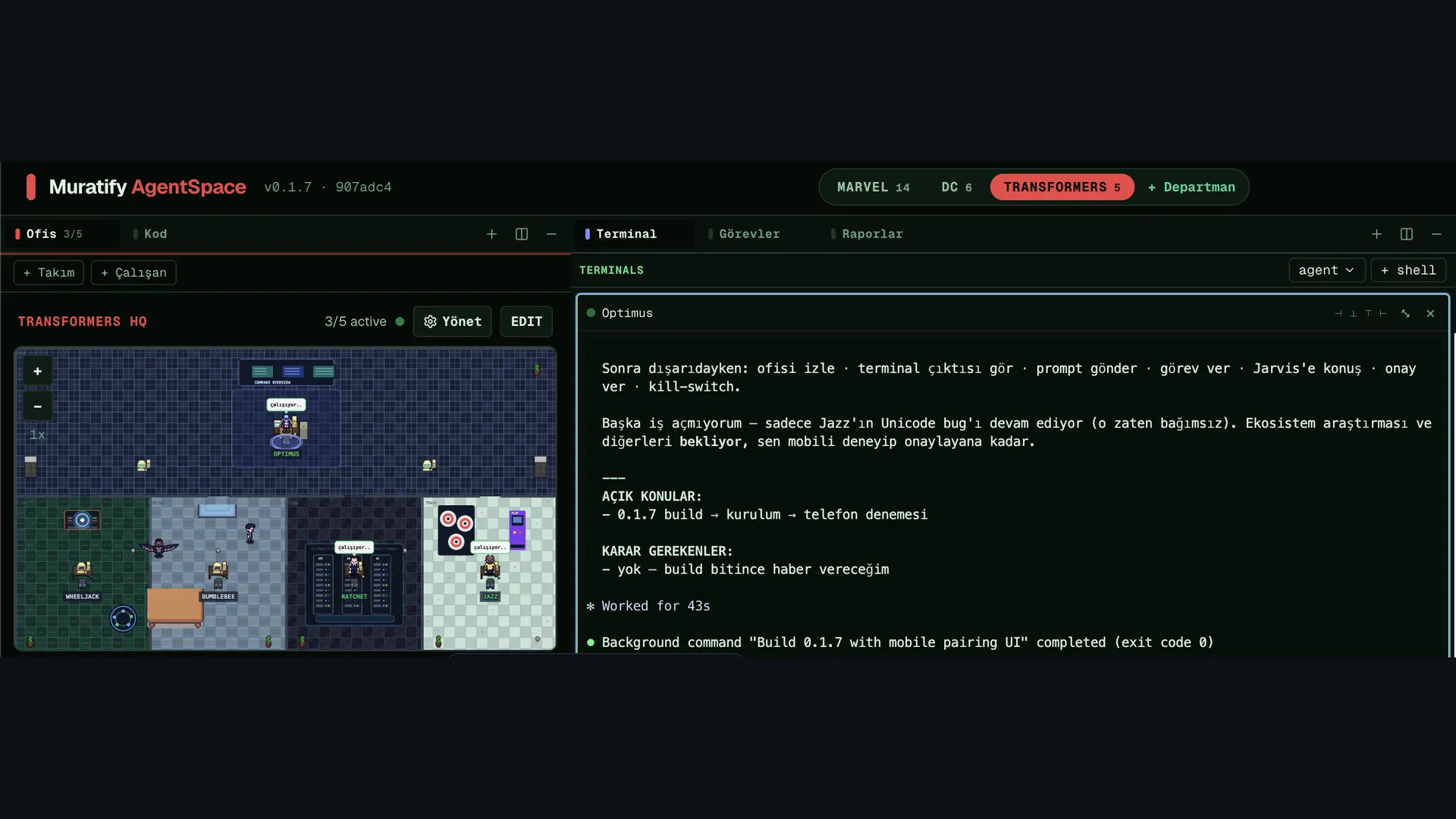
In my setup (running on AgentSpace), it works like this:
- The lead agent takes my instruction and clarifies the plan
- It distributes the sprint’s tasks to the teammates
- Teammates work in parallel and produce progress reports
- For decisions that need approval, it pauses and waits for me; everything else runs autonomously
In this setup, you’re no longer a “prompter” — you become the decision-maker and direction-setter. You state the idea; the lead handles the breakdown and distribution.
3 Critical Mistakes I Hit Live, and What I Learned
On paper, this system looks flawless. In practice, three things really tested me.
1. Losing Memory / Conversation History
A screenshot tool froze and I had to force-quit the app. When I reopened it, hours of planning conversation and the sprints we’d built were gone. The agent insisted “nothing was deleted,” but in reality there was a sync issue between the memory layer and the UI layer — the data was there, it just wasn’t being shown to me.
Lesson: Before entering a long planning session, back up the output of that session (sprint list, task details) somewhere outside the agent — a text file, a note, anything. Agent memory isn’t yet as reliable as human memory; record critical decisions outside the system too.
2. The Agent Exiting Itself Mid-Autopilot
Some agent sessions auto-exit after a certain amount of time once a task finishes — the terminal window may still look open, but the underlying process has already terminated. This quietly breaks the whole autopilot premise, because a task can be left half-finished while you’re away and no one continues it.
Lesson: Before running autopilot for long stretches (overnight, for hours), run a short sprint first as a “session continuity” test. Deliberately set up a task that will take a while, and confirm the agent completes it without the session dropping out from under it.
3. Token / Credit Limit Surprises
When you run multiple agents in parallel, token consumption climbs faster than you’d expect. On subscription-based usage, weekly limits can get exhausted; on credit-based usage, your balance can run out mid-task with no warning.
Lesson: Always check your balance/limits before switching to autopilot, and give the agent this as an explicit task too: “Check the balance, notify me if it’s insufficient.” If your tool has a mechanism to auto-continue once a limit resets (some do), test that ahead of time instead of assuming it works.
Checklist Before Going to Autopilot
After these three mistakes, here’s what I now check every time before flipping to autopilot:
- Are the sprint tasks clear and independently testable?
- Is the critical planning output backed up somewhere outside agent memory?
- Does a short test task confirm the agent session doesn’t exit early?
- Can the token/credit balance cover the sprint’s estimated duration?
- Is it defined when the lead agent should pause and ask for approval?
These checks might feel tedious, but the real value of autopilot — hours of reliable background progress while you focus on something else — only materializes once these foundations are solid.
What Came Next: Fixing These Mistakes for Good
Two of those three lessons turned into permanent systems. I solved the memory-loss problem by giving my agents a memory layout that lives on disk — the file structure, the checkpoint discipline, and what you should never write to memory are all in giving your AI agent persistent memory. One of the concrete things the autopilot team shipped is the engine that clips my livestreams automatically; the same team also builds my WhatsApp sales automation.
Conclusion
Setting up AI agents as a team of a lead plus teammates, rather than a single assistant, genuinely changes your development speed. But to actually see the benefit, you first need to learn to define clearly bounded tasks, back up memory externally, and test limit/session behavior before trusting the system unattended. I’m using this sprint-autopilot approach both while building my own products (like ChatFlow) and while building AgentSpace itself — and I’m hardening the system a little more every week based on these exact experiences.
New posts by email: I share my sprint templates, lead-agent prompts and autopilot setup — the experiments that work and the ones that die. Subscribe with the form at the end of this page; unsubscribe in one click.
AgentSpace: AgentSpace, the virtual office that combines this lead-agent, sprint and autopilot setup, is live. Download it, set up your crew, give it the first task. It runs on macOS, Windows and Linux.
Author: Murat Baskıcıoğlu

Read to the end to awaken
Finishing marks the post as read. Saved only in this browser.
Next quests
Get new posts by email
The agent systems I build, the prompts that work, the real numbers. Ready to copy.