
Contents 10
- “Please Tell Me You Didn’t Delete It”
- Why a Context Window Is Not Memory
- The File Layout — One Fact, One File
- Four Kinds of Memory (and What Each Is For)
- Checkpoint Discipline — The Lesson of Those Three Lost Hours
- The Hardest Part: What NOT to Write
- Copy-Paste: The Memory Instruction You Can Give Your Agent
- Does Memory Make the Agent Smarter? Yes — But Not How You’d Expect
- Where This Plugs In
- Conclusion
“Please Tell Me You Didn’t Delete It”
I spent three hours planning with my lead agent. We went through the work, broke it into sprints, produced eight of them, and settled who would take what. Then a tool froze and I had to force-quit the app.
When I reopened it, the conversation history was gone. The sprints were gone. The agent kept telling me “nothing was deleted,” but there was nothing on my screen. I still remember what I said on stream: “please tell me you didn’t delete it.”
It hadn’t been deleted — but it wasn’t findable either. And that turned out to be the same thing: when we restarted, the agent didn’t remember what we’d discussed, what we’d decided, or where we’d left off. Three hours of thinking had collapsed into whatever fragments were still in my head.
This is the sneakiest cost of working with AI agents: they’re smart, but amnesiac. Every session you re-explain who you are, what you’re building, what you already tried, and why you dropped it. This post is the persistent memory setup I built after that loss — the file layout, the checkpoint discipline, and most importantly: what not to write to memory.
Why a Context Window Is Not Memory
The common misconception: “the model has a huge context window, it remembers everything.” It doesn’t. The context window is working memory — it evaporates when the session ends, the app closes, or the conversation gets summarized.
Memory is the thing that survives on disk and gets read back at the start of the next session. Which means memory isn’t a model feature — it’s a file discipline.
Once you accept that, the solution gets simple: give your agent a folder it reads at the start of every session and writes to as it works.
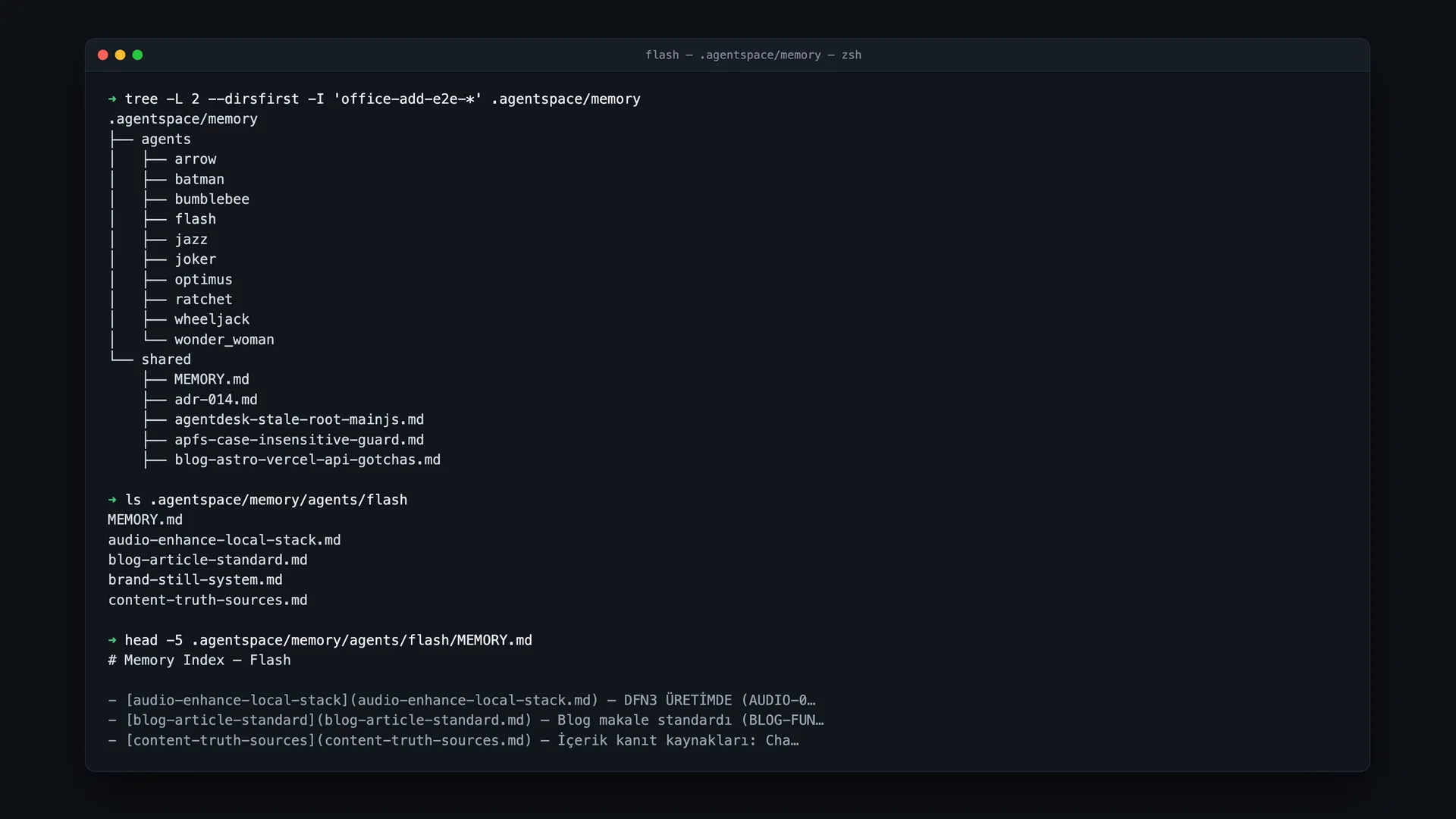
The File Layout — One Fact, One File
The setup has exactly one rule: one fact = one file. A giant “notes.md” doesn’t work; it bloats, it contradicts itself, nobody reads it. Instead, every durable fact lives in its own file:
memory/
├── MEMORY.md                 ← index: one pointer line per memory
├── user-murat.md             ← who the user is, how they like to work
├── chatflow-product.md       ← product truths (pricing, constraints)
├── lead-scraper-engine.md    ← what the engine does, how to run it
└── build-in-public-daily.md  ← an ongoing commitment
Each file opens with a small frontmatter block saying what kind of fact it is and when it was last true:
---
name: chatflow-product
description: "ChatFlow product truths — pricing, scope, features"
type: reference        # user | feedback | project | reference
updatedAt: 2026-07-12
---

ChatFlow brings WhatsApp order automation to Shopify stores.
Related: [[lead-scraper-engine]]
Two details make this layout actually work:
- The MEMORY.md index. At the start of a session the agent reads only this one file — a one-line summary plus link per memory. It gets the map of “what exists here” without dumping 40 files into context, then opens only what it needs.
[[wiki-links]]between memories. Memories reference each other. Even linking to a memory that doesn’t exist yet is useful: it’s a marker that says “something worth writing lives here.”
Four Kinds of Memory (and What Each Is For)
If you dump every fact into the same bucket, the agent won’t know which ones to trust. I separate four types:
| Type | What goes in | Example |
|---|---|---|
| user | Who the user is, how they work, what they hate | ”Won’t read long reports, wants a visual summary” |
| feedback | Working instructions you were given, with the reason | ”Never edit prod by hand — the next sync overwrites it” |
| project | Ongoing work, goals, constraints not derivable from code | ”LTD launch July 30, price $99” |
| reference | Pointers to external resources | Dashboard URL, ticket link |
The most valuable type is feedback — because it carries the why. “Don’t do X” alone makes an agent a rule-follower; “don’t do X because Y” makes it a teammate that can generalize correctly in situations you never described.
Checkpoint Discipline — The Lesson of Those Three Lost Hours
Having a memory file isn’t enough; when it gets written is what matters. The real cause of my loss wasn’t the absence of a memory system — it was that memory was going to be written after the work finished. The work never finished. The crash came first. Nothing had been written.
The rules I follow now:
- Write at the moment of decision, not at the end of the session. The instant a decision hardens (“yes, we stay Shopify-only”), it goes into memory. Don’t wait for the session to end — the session may not end.
- Open the result file at the start of the work. When I begin a long task, I create the result file as an empty draft within the first five minutes and update it at every stage. If a crash comes, I still have half of it.
- Verify before marking anything “done.” A task gets marked complete in memory because it was verified end to end, not because code was written. A false “done” actively misleads the next session — that’s worse than no record at all.
The Hardest Part: What NOT to Write
The biggest mistake people make when building agent memory is writing everything down. A bloated memory is worse than no memory: the agent reads 3,000 irrelevant words every session, and the one line that actually mattered drowns in the noise.
Don’t write:
- What’s already in the code or git. File structure, past fixes, commit history — all already recorded. Memory is for what can’t be derived from the repo.
- What only matters in this session. “We’re currently looking at file X” is garbage tomorrow.
- Unverified guesses. A hypothesis that enters memory gets read as fact later.
And a rule that matters just as much in reverse: memory goes stale. A file name, a flag, a price mentioned in a memory reflects the truth of the day it was written. The agent must verify before acting on it. Putting that sentence verbatim into your agent’s system prompt kills most ghost-knowledge errors.
Copy-Paste: The Memory Instruction You Can Give Your Agent
Drop this block into your agent’s system prompt — that’s the whole system:
YOU HAVE PERSISTENT MEMORY.

AT START: read memory/MEMORY.md (the index), then open the relevant topic files.
Recall past decisions, don't re-ask what's answered, resume where you left off.
A file/price/flag named in a memory may be STALE — verify BEFORE acting on it.

WHILE WORKING: write down what is durable and useful in the future, under memory/.
- One fact = one file (frontmatter: name, description, type, updatedAt)
- Add a one-line pointer to MEMORY.md
- [[link]] related memories
- Write a decision AT THE MOMENT it's made — don't wait for the session to end

DON'T WRITE: what's already in code/git · what only matters this session · unverified guesses.
Mark work "done" ONLY if verified end to end (not when the code was written).
If you find a wrong memory, DELETE it — update, don't duplicate.
Does Memory Make the Agent Smarter? Yes — But Not How You’d Expect
What I expected from adding memory was “the agent will be smarter.” What actually happened is more interesting: the agent started asking fewer questions. I don’t explain the same context a third time, it doesn’t ask “which pricing?”, it doesn’t re-propose the approach I rejected last week.
So the real payoff of memory isn’t intelligence — it’s friction. Working with the agent stops feeling like working with an intern you re-onboard every morning, and starts feeling like working with a teammate who knows what happened yesterday. The difference is small in a single session and enormous across a week.
Where This Plugs In
Persistent memory is the precondition for running an agent team on autopilot — a team without memory is a team that demands a fresh briefing every morning. I covered how I set that team up with sprints in running an AI agent team on autopilot, and one of the concrete things that team shipped — the engine that clips my livestreams automatically — in a separate post.
New posts by email: I share the real contents of my memory files, my agent prompts and my automation experiments. Subscribe with the form at the end of this page; unsubscribe in one click.
AgentSpace: AgentSpace, the virtual office that combines this memory system, the agent team and the autopilot, is live. Download it, set up your crew, give it the first task. It runs on macOS, Windows and Linux.
Conclusion
Giving your agent persistent memory has less to do with picking a model and more to do with note-taking discipline. One fact per file, read through an index, written at the moment of decision, distrusted once stale, and never written at all when it’s noise. The thing I learned the day I lost three hours of planning is simple: an AI’s memory is nothing but the files you give it — and writing those files is a job to be done before the crash.
Author: Murat Baskıcıoğlu

Read to the end to awaken
Finishing marks the post as read. Saved only in this browser.
Next quests
Get new posts by email
The agent systems I build, the prompts that work, the real numbers. Ready to copy.